Key takeaways
- The No-Code Revolution Actually Arrived, apply this before building anything.
- The Three-Layer No-Code Stack, apply this before building anything.
- The Stack I Actually Recommend, apply this before building anything.
- Real Example: The Customer Onboarding Nightmare.
- When You Actually Do Need a Developer.
The No-Code Revolution Actually Arrived
I spent a lot of years being skeptical about no-code. Every time someone promised that business users could build complex automations without developers, I saw the opposite happen. Workflows that looked simple became tangled messes. Integrations that seemed straightforward created data chaos. And somewhere, a developer was pulling their hair out trying to fix it.
But something changed around 2024. The tools actually got good. Not just good enough for simple stuff. Good enough for real business problems. I have now seen no-code workflows handling serious automation work: customer data synchronization, multi-step approval processes, complex conditional logic, API integrations.
And here is the kicker: the average employee spends about 16 percent of their week on repetitive administrative work. At an average salary of £50,000, that is roughly £8,000 per employee per year just on repetitive tasks. Automate even a portion of that, and you are looking at real savings. Studies suggest companies deploying no-code automation are seeing £30K to £50K per employee in annual productivity gains.
The Three-Layer No-Code Stack
If you are going to do no-code automation right, you need to think in layers. Most organizations do not. They pick one tool and try to make it do everything. Then they give up.
The first layer is data integration. This is where your data lives. CRM, accounting software, email, spreadsheets, databases. Zapier and Make.com live in this layer. They connect different apps and make data flow between them.
The second layer is business logic. This is the thinking part. If this happens, then do that. If the customer meets these criteria, then route them here. If the data passes this validation, then proceed. Softr, Airtable, and even spreadsheet formulas live in this layer. This is where you define your rules.
The third layer is customer experience. This is how humans interact with the system. Chatbots, forms, dashboards, notifications. Tools like HubSpot, Tidio, and Zapier also play here. This is where the actual work happens.
Practical tip: Do not try to solve all three layers with one tool. You will go mad. Pick the best tool for each layer, then make them talk to each other through APIs and webhooks.
The Stack I Actually Recommend
Based on what I have seen work in real implementations, here is my recommended no-code stack for most small to mid-sized businesses.
For data integration, I use Make.com (formerly Integromat). It is more powerful than Zapier for complex workflows, it has better conditional logic, and you can do multi-step processes that Zapier charges you separately for. Zapier is still excellent if you want simplicity. Make is better if you want power.
For business logic and data management, I use Airtable. It looks like a spreadsheet but behaves like a database. You can build relationships, automate within Airtable, create custom views, and connect everything else to it. It has become my default source of truth.
For customer-facing automation, it depends on the use case. If it is customer service, Tidio or Intercom for conversational AI. If it is form collection and workflows, Softr or Pabbly. If it is internal approvals and workflows, basic Slack automation with Make integrations.
For most businesses, this stack costs less than £300 per month and can automate 30 to 40 percent of administrative work.
Real Example: The Customer Onboarding Nightmare
I worked with a professional services firm that had a manual customer onboarding process. Customer signs up. Someone copies their information into a CRM. Someone else creates a project file. Someone creates an invoice. Someone sends a welcome email. Someone schedules a kickoff call. Seven separate touch points, all manual.
The process took two days. Customers often did not hear from them for 48 hours after signing up. And mistakes happened constantly. Someone forgot to copy a phone number. Someone created the project in the wrong folder. Someone sent the welcome email twice.
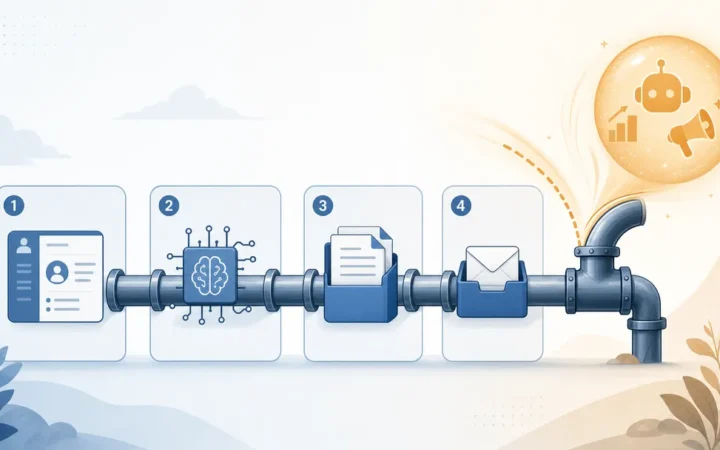
We built a no-code workflow in Make.com. Customer signs up on the website. Zapier detects the signup (layer 1). Make.com processes the logic (layer 2). In 60 seconds:
Airtable record is created with all customer info. HubSpot contact is synced. Stripe invoice is created. Slack notification alerts the team. Welcome email is sent automatically. Calendar holds a time slot for kickoff.
The system did not replace the team. It freed them from manual work. They now spend their time on actual customer value instead of data entry. The onboarding time dropped from two days to 60 seconds. Error rate dropped to near zero.
Practical tip: Start with your most repetitive process. The one that makes your team groan when they think about it. That is your best no-code candidate.
When You Actually Do Need a Developer
No-code is powerful, but it has limits. You need a developer when:
You need custom logic that no existing tool can handle. You are building something genuinely new that no integration exists for. You need extreme performance (thousands of transactions per second). Your data architecture is so complex that data integration tools cannot handle it. You need a custom API that the tools cannot call. Your security or compliance requirements need custom code.
Otherwise, no-code is almost always better. Why? Because code is fragile. It breaks when people leave. It requires maintenance. It has bugs. It is slow to modify. No-code is slower to execute but faster to adapt.
The Decision Tree for Build vs Buy vs Configure
Here is how I think about this decision:
First question: does a vendor offer this out of the box? HubSpot, Salesforce, Shopify? If yes, buy it. Do not build or configure it. Let them maintain it.
Second question: can no-code glue together existing tools to solve this? Zapier, Make, Airtable? If yes, configure it. Spend a few hundred quid. Get it done in weeks.
Third question: only if the answer to the first two is no, do you build custom code. And even then, start with code libraries and frameworks. Only build completely custom if you have no choice.
Most organizations skip step one. They jump straight to no-code or custom development when a vendor has already solved their problem. That is expensive.
The Hidden Costs of No-Code
I need to be honest about something: no-code is not actually free. There are hidden costs.
First, there is learning time. Business users need to understand the tools. Do not underestimate this. Plan for training.
Second, there is the cost of vendor lock-in. If you build your entire workflow in Make.com and Make changes their pricing model, you are stuck. You cannot easily migrate.
Third, there is technical debt. If someone leaves your organization and nobody else understands the workflow, you have a problem. Document everything.
Fourth, there is the cost of complexity. Simple workflows are fine. But when you have 20 interconnected workflows triggering each other, something breaks and nobody knows how to fix it.
Practical tip: Start small. Build one workflow. Get it working. Document it. Only then build the next one. Do not try to automate your entire business in one go.
The Scaling Question
No-code works great until you hit scale. What is scale? It depends on the tool. Zapier starts to feel expensive when you have thousands of operations per day. Airtable gets slow with millions of records. Make.com can handle surprising complexity but eventually hits limits.
The question is: how much growth do you need to plan for? If you are automating something that will grow 10x in the next two years, factor that into your tool selection. no-code is not the right choice.
But if you are automating something stable, no-code is almost always the right choice.
Building a Culture of Automation
The companies I see getting the most value from no-code are not the ones with the most sophisticated workflows. They are the ones with a culture of continuous automation. Everyone is encouraged to identify repetitive work and solve it.
This requires tools that are easy enough that business users can use them. It requires managers who do not punish people for automating their own jobs away (instead moving them to higher-value work). It requires documentation so people can learn from each other.
The no-code tools have improved, but culture change is harder than technology change.
Getting Started This Week
If you have read this far and you are thinking you should try no-code automation, here is what to do this week.
Pick one process. The one that wastes the most time. Document it step by step. Identify which systems are involved. Look at whether Zapier has a pre-built integration for those systems. If it does, start a trial and build the workflow.
Set a goal: automate 60 percent of the process in the next two weeks. Not 100 percent. You do not have time. Get the easy wins first.
Measure the time saved. Measure the errors eliminated. Show this to your team. Then do the next process.
Tagged: Automation, Productivity

I build automations, AI steps and custom software for businesses with 5 to 200 staff. 120+ projects across 15+ industries, from Middlesbrough.